Access control and user training for shared instruments
Everyone sees what is theirs. Access to each instrument is requested, approved and logged, and each user's level decides what they can book and when.
One level per instrument
Competence is specific to each instrument, so the level is assigned per person and per instrument, and is earned through approved supervised sessions.
Novice
The starting level, assigned by the manager when access is granted.
Independent
Reached by passing the number of supervised sessions the facility has set for that instrument.
Advanced
The next step, with the slots and permissions your policy reserves for the most experienced users.
The technician approves or rejects each session with notes and time slots, and a full history of every level change is kept.
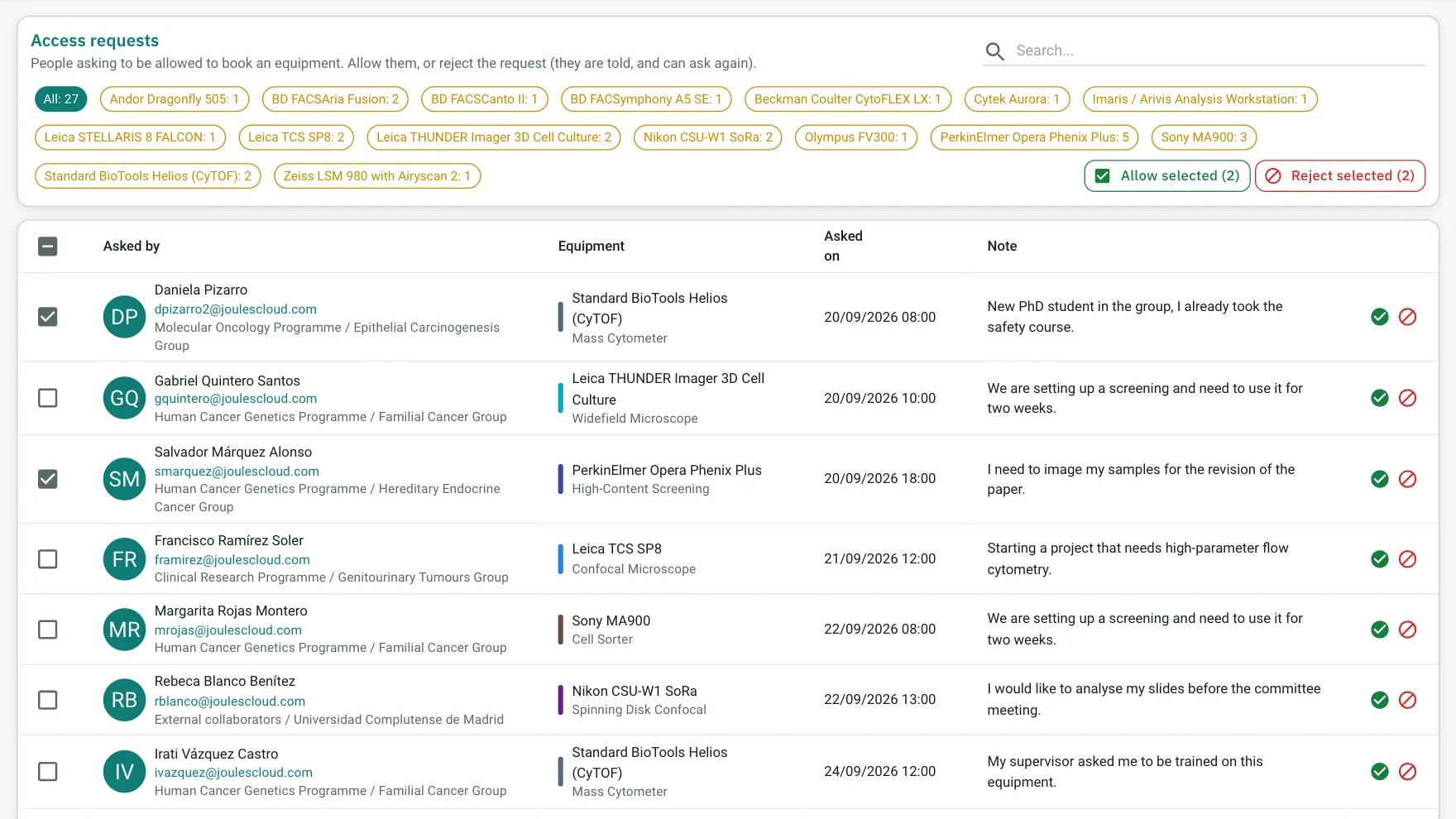
Access requests with an approval inbox
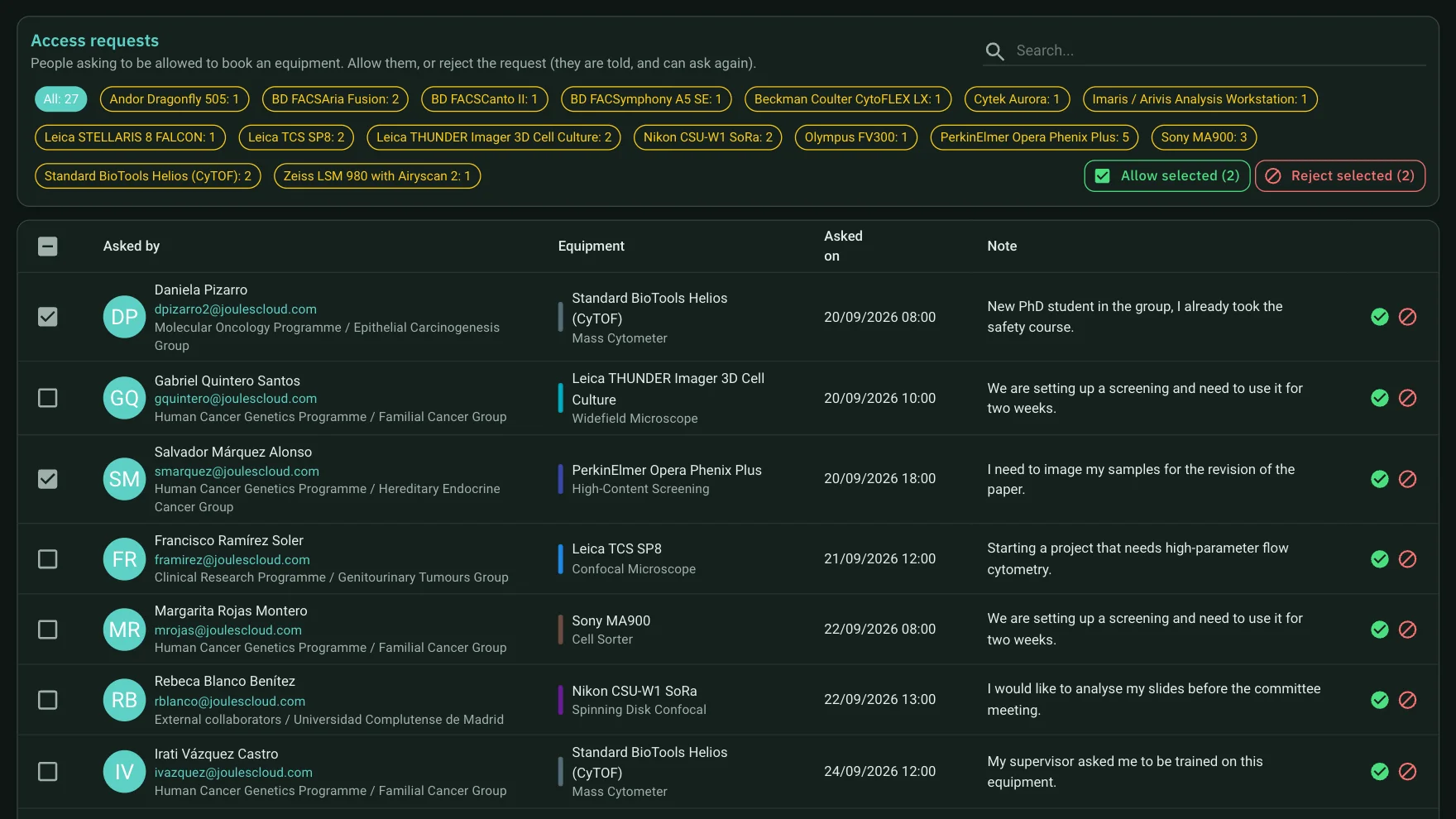
Who asks to use which instrument, when and with what note, with filters per instrument and buttons to allow or reject.
Permissions matrix
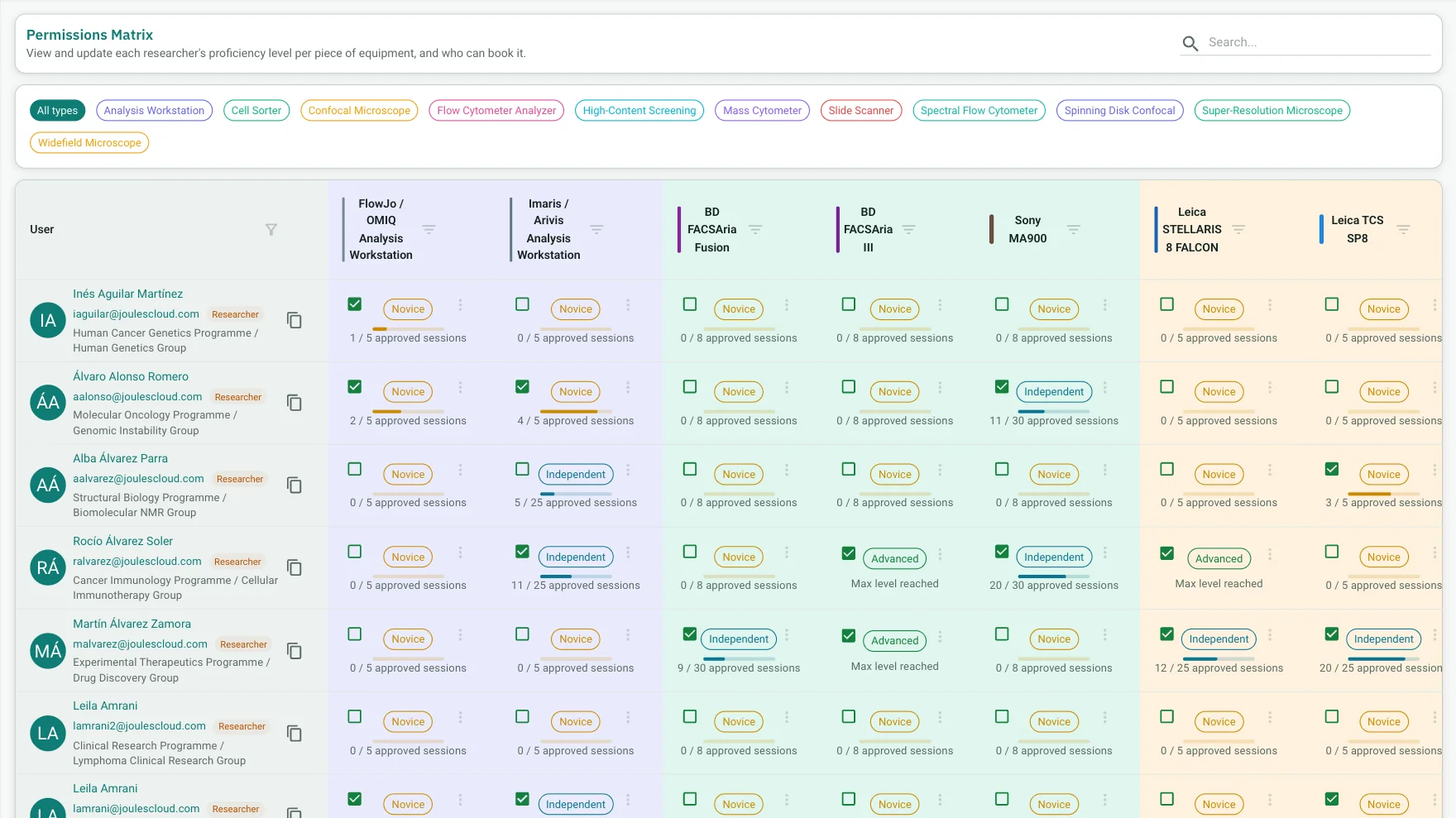
A grid of researchers by instruments, with the proficiency level and progress to the next one in each cell.

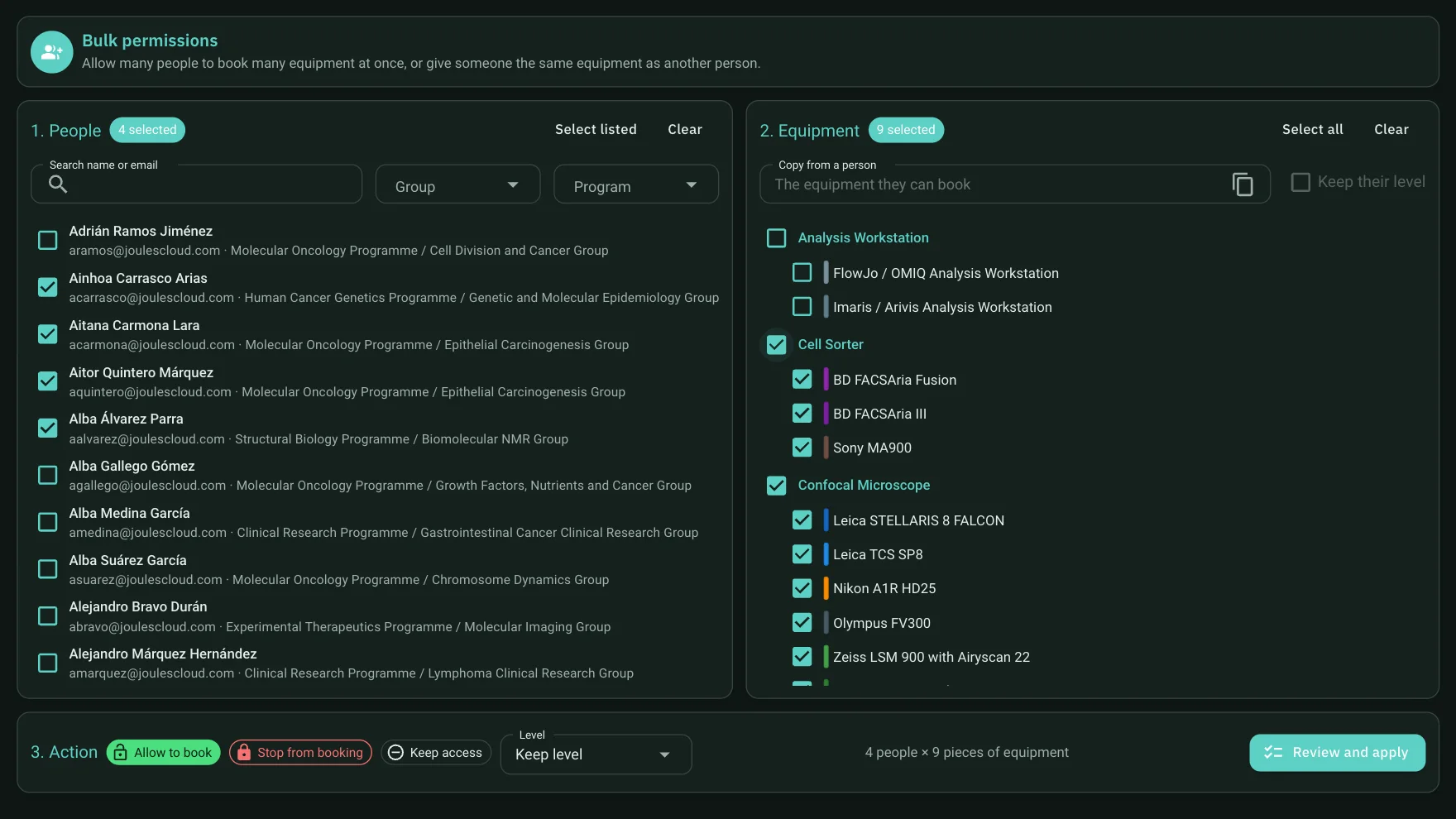
Bulk permissions
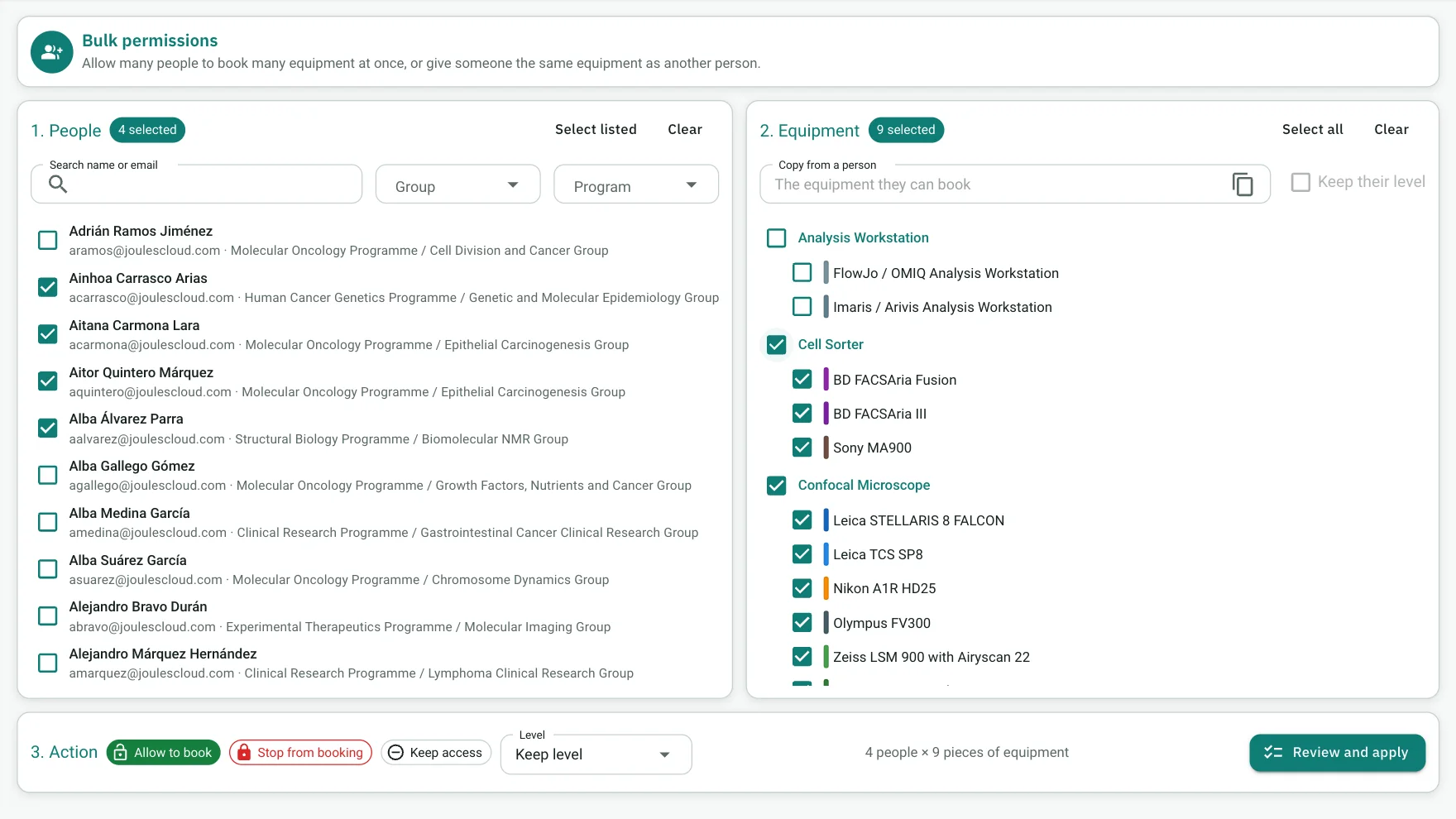
When a whole group or course joins, there is no need to go person by person: choose the people, the instruments and the action to apply.
Each role also gets a different home screen: researchers, technicians and administrators see what is relevant to them.
To go deeper into designing a level system, read the guide how to organise user training and accreditation.
Frequently asked questions
Who approves access to an instrument?
Access requests go to an approval inbox, where they are allowed or rejected with a reason. Every decision is recorded.
How does a user move up a level?
Through approved supervised sessions. The technician approves or rejects them with notes and time slots, and session thresholds are configurable per instrument.
Can I give a whole group access at once?
Yes. Bulk permissions apply access and level to many people and many instruments in one go, in three steps.
Do booking hours change with the level?
Yes. Each instrument has its working hours, and so does each competency level.
Want to see it with your instruments?
Tell us how many instruments you run and how you manage bookings today. In the demo we show the real application with a case close to yours.